iOS & Android · First run free · Nothing uploaded
Same video, smaller file
A minute of 4K can cost a gigabyte. Kompress re-encodes your videos right on your phone — no upload, no account, no server queue — and hands the space back to you. The original is never touched, and nothing ever leaves your device.
Why Kompress
Storage full again?
The phone fills up, and the only fix anyone offers is deleting memories. Kompress makes a smaller copy instead — you keep the video and get the space back.
On-device, always
Compression runs on the phone itself using the hardware encoder. No upload, no account, no server queue — your videos never leave your device.
Three one-tap presets
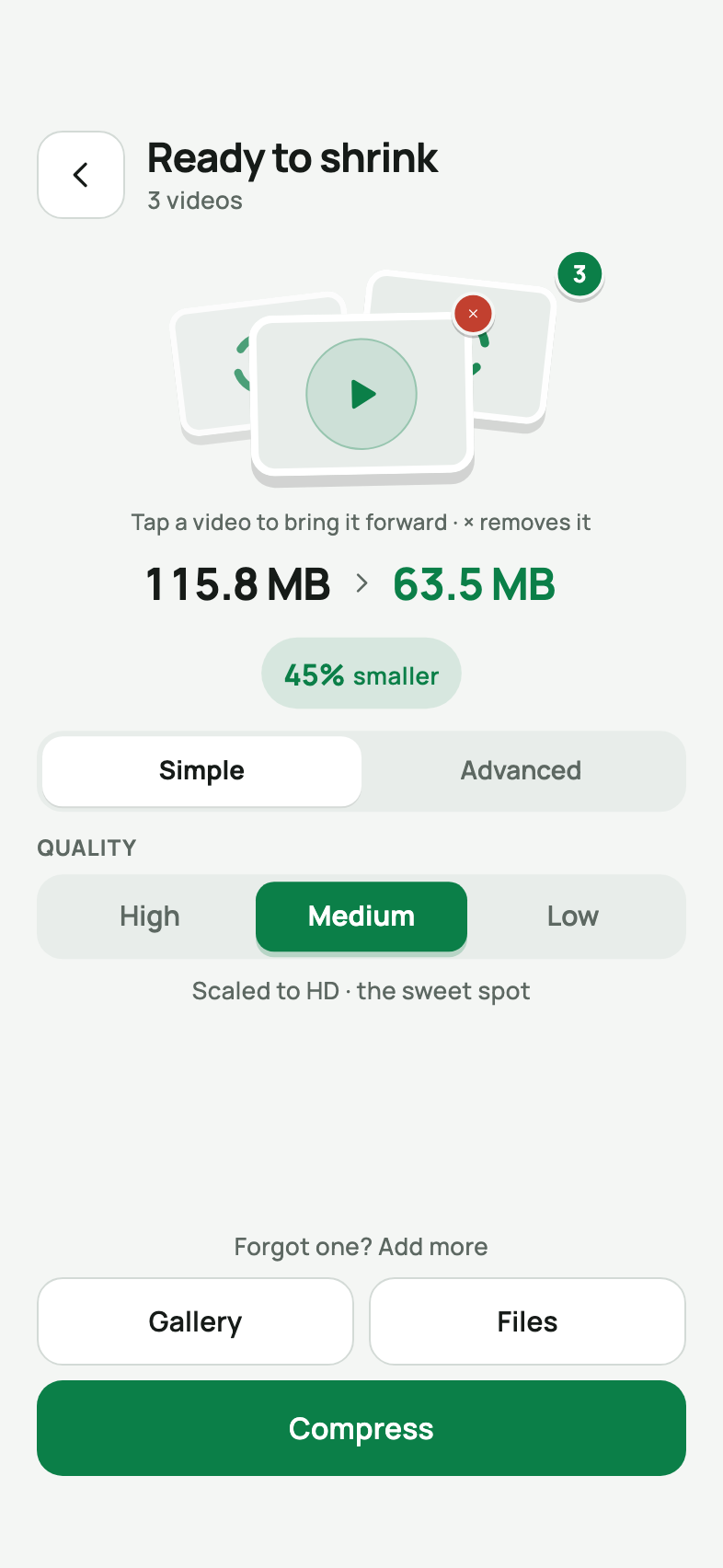
High, Good, and Small for a quick win — or open Advanced and tune resolution, video bitrate, frame rate, H.264/HEVC codec, and audio yourself.
Batch compression
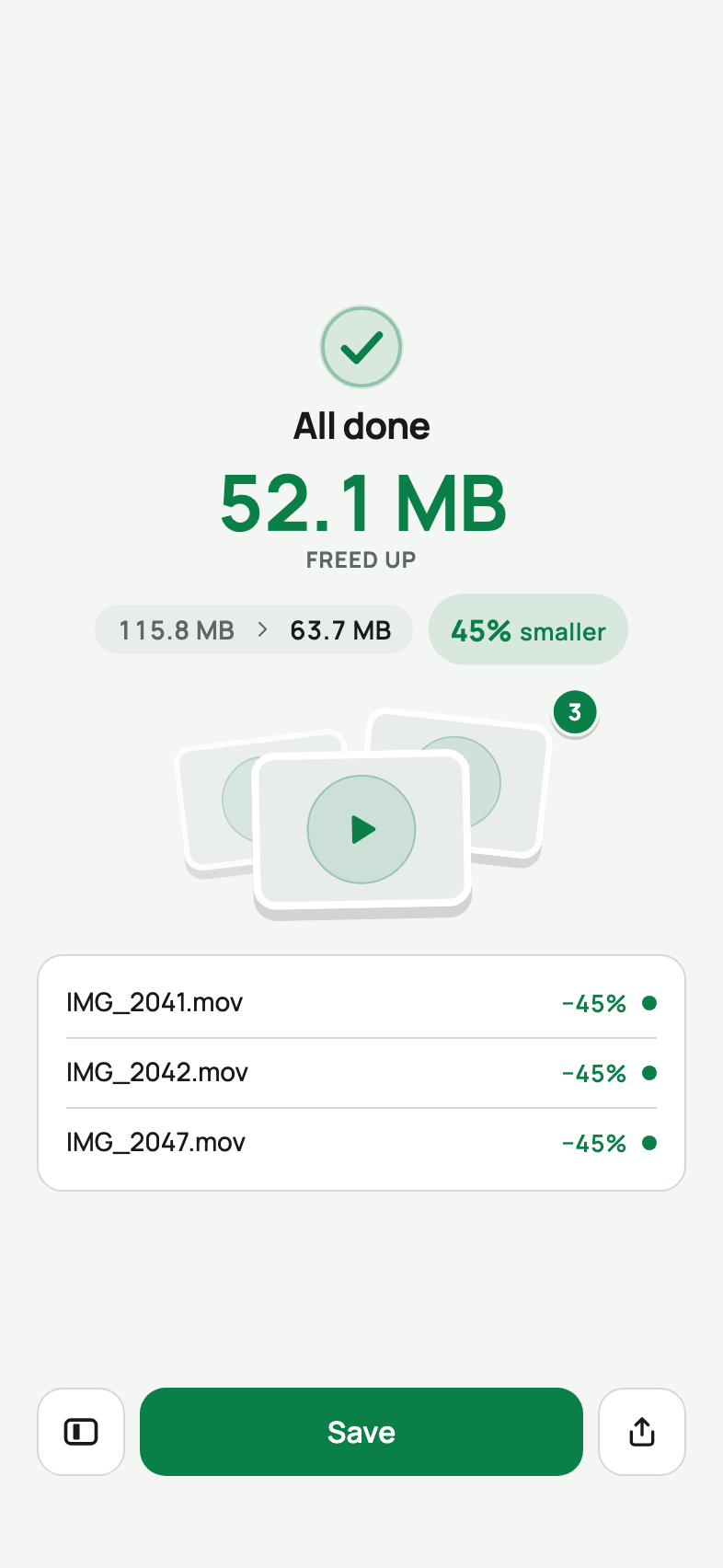
Pick as many videos as you like. They queue up one after another with per-video progress, and your space savings add up.
Before/after comparison
A split-screen player plays the original and the compressed copy side by side, so you see exactly what changed before saving.
Originals stay safe
The original file is never touched. Save a new copy, land it beside the original with its date and place, or replace it — only when you say so.
Save or share your way
Videos go to your gallery, a dedicated Kompress album, or straight into any share sheet — WhatsApp, Mail, Instagram, wherever.
How it works
Pick. Preset. Save.
Step 1
Add videos
From your gallery or the Files app. Pick one or a hundred — the originals stay exactly where they are.
Step 2
You set the limit
Three presets for a quick win, or Advanced for full control over bitrate, resolution, frame rate, codec, and audio.
Step 3
Compare and save
Drag the before/after line, then save to your gallery, into a dedicated album, or share without saving at all.
Runs on your phone · nothing uploaded · hardware encoder · original never touched
Under the hood
Built on your phone's own silicon
Hardware H.264 · HEVC
Kompress encodes with the platform's own codecs — AVFoundation on iOS, MediaCodec on Android — rather than a bundled FFmpeg build. The app stays small, uses the hardware encoder, and drains less battery.
MP4 out, plays anywhere
Every compressed video is a standard MP4. H.264 plays everywhere; HEVC (H.265) makes files even smaller on modern devices — and Kompress falls back to H.264 automatically when a device can't encode HEVC.
Kompress Pro
Compress without limits
The first run is on us — every preset and advanced control, with nothing to pay. Kompress Pro is every run after it.
Free first run
Your first compression is completely free: pick your videos, try any preset or advanced setting, compare before/after, and save. No account needed.
Weekly · Yearly
Need Kompress for a storage cleanup week — or all year? Weekly and yearly plans unlock unlimited compressions, with a free trial available and cancel-anytime renewal.
Lifetime
One payment, yours forever. For people whose camera never stops recording — compress as much as you like, forever, on every device you sign into.
Purchases are handled by the App Store or Google Play. Renews automatically until cancelled in your store settings.
FAQ
Frequently asked questions
Is Kompress free to try?
Yes — your first compression run is on us: every preset and advanced control, with nothing to pay. After that, Kompress Pro unlocks unlimited runs as a weekly, yearly, or one-time lifetime purchase, with a free trial available.
Do my videos get uploaded to a server?
No. Compression runs entirely on your device using the phone's own hardware encoder. Your videos never leave your phone — there is no upload step, no cloud processing, and no server queue.
Will I lose video quality?
Kompress re-encodes your video at a lower bitrate, and optionally a lower resolution. At the High and Good presets the difference is practically invisible for phone playback and social sharing. A built-in before/after comparison player lets you check the result before saving.
Does Kompress keep my originals?
Yes, by default. The original file is never modified — Kompress writes a new, smaller copy. You choose how to save: as a new copy, beside the original with its date and location, or as a safe replacement.
How much smaller will my videos get?
It depends on the preset and the source video. Heavily compressed social media downloads barely shrink, while 4K camera footage can drop 80–90%. The app estimates the output size before you start, and shows exactly how much space you freed.
Which formats and codecs are supported?
Kompress works with the MP4 videos your phone records and most common video files you pick from the Files app. It encodes with the device's hardware H.264 encoder, or HEVC (H.265) on supported devices for even smaller files.
Can I compress many videos at once?
Yes. Pick as many videos as you like and Kompress processes them one after another with per-video progress. Your totals — videos compressed and space freed — are tracked across the whole batch.
Which languages does Kompress speak?
Kompress ships in 38 languages, including English, Spanish, German, French, Portuguese, Chinese, Japanese, Korean, Hindi, Arabic, and Turkish.
Get your space back today
First run free on the App Store and Google Play. No upload, no account — and Kompress Pro (weekly, yearly, or lifetime) only if you keep shrinking.